
Leaderboard

Popular Content
Showing content with the highest reputation on 08/09/26 in all areas
-
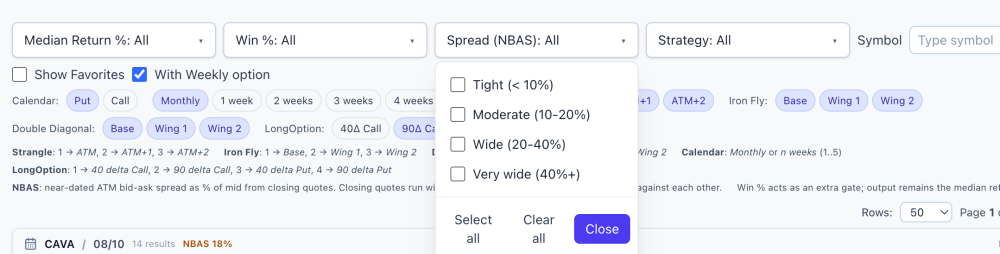
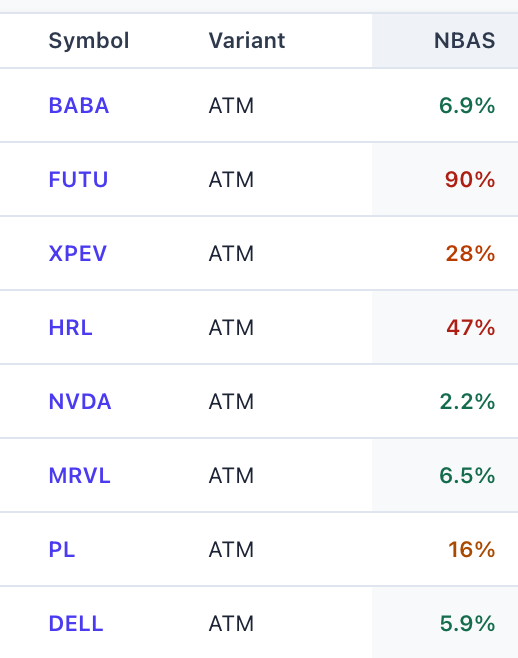
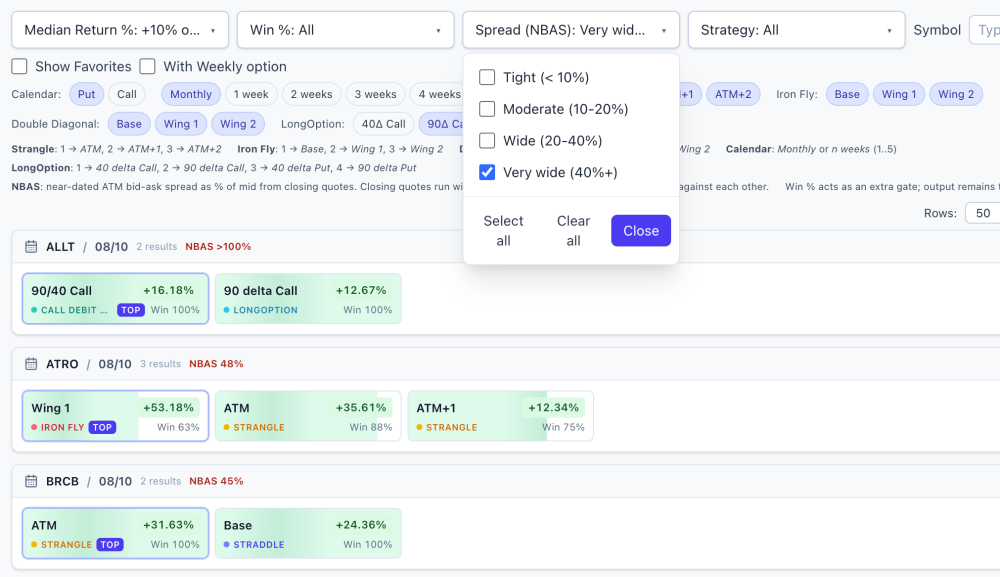
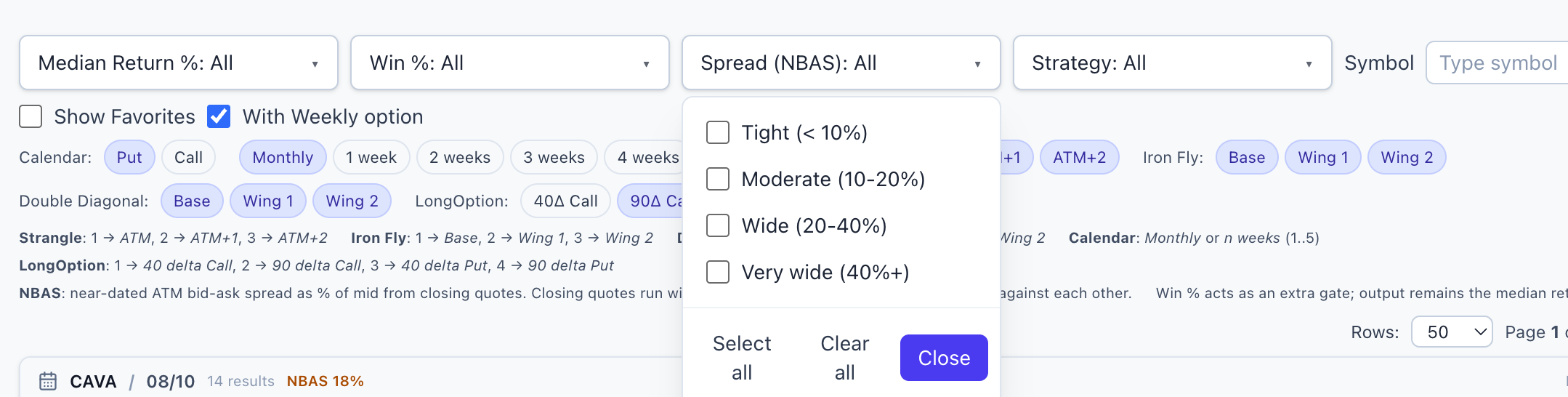
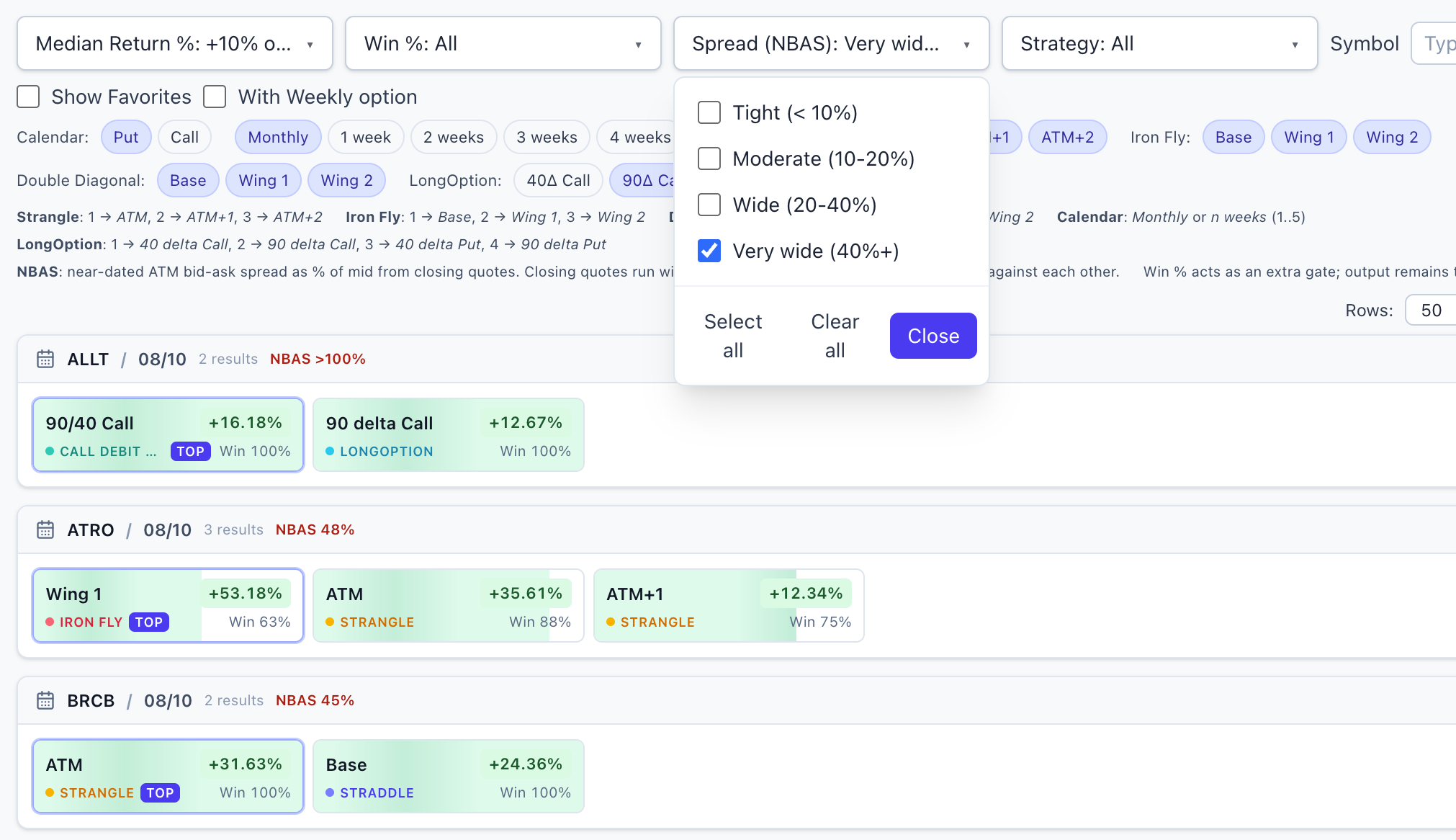
New on the Daily Screener: a liquidity check on every setup @FrankTheTank recently asked me a question that's harder to answer than it sounds: "How many of these setups could I actually get filled on?" It's the right question. A screener can show you a beautiful historical edge — high win rate, strong median return — on a name whose options trade so wide that the edge exists only on paper. The backtest gets a clean theoretical price; you get the spread. Wide bid-ask markets are how a good-looking backtest quietly becomes a bad live trade, and most tools simply don't warn you. So now the screener does. Every symbol on the Daily Screener carries an NBAS value — a normalized measure of how wide its options markets are, derived from the same market data the historical numbers are built on. Lower = tighter markets = the numbers on your screen are closer to something you can actually have. You don't need to know anything about how it's computed to use it: it's color-coded right in the table — green is tight, amber and orange are questionable, red is wide, and a "—" means the name had no measurable liquid options at all, which is its own answer. How to use it Next to the Return and Win % filters there's a new Spread (NBAS) dropdown. Select the tightest bucket and the board shrinks to names where the market is liquid enough that the historical numbers deserve your attention. When a spread filter is active, unknown-liquidity names are excluded too — if liquidity can't be measured, that's a caution flag, not a free pass. The honest part Building this taught me something I wasn't fully expecting, and I'd rather tell you than have you discover it the hard way: once you screen for liquidity honestly, a lot of the board falls away. Far more names than you'd guess carry markets too wide to trade well — including some with genuinely impressive historical stats. That's not a flaw in the backtests; it's the difference between an edge that existed in the data and an edge you can collect. This column exists to keep those two things from being confused. Two caveats so nobody over-reads the number: It's a relative ranking, not a fill forecast. The measurement comes from end-of-day data, and closing markets run wider than what you'll typically see intraday on liquid names. Use it to compare names against each other and against the backtest's own pricing basis — not as a prediction of your fill cost tomorrow morning. A tight spread is a prerequisite, not a signal. Green doesn't make a setup good — it just means the market will let you have it near a fair price. It filters out false edges; it doesn't create real ones. Before shipping, the values were cross-checked against independent live quotes on several names and lined up well. The number measures what it claims to measure. That screenshot is the whole reason this feature exists: a setup with strong historical stats that you should almost certainly never touch, because the market for it barely exists. Before this column, that row looked identical to a real opportunity. My updated morning routine Open the Daily Screener → set the Spread filter to the tightest bucket → then start reading win rates and medians. Liquidity first, edge second. An edge you can't collect isn't an edge, so there's no point evaluating it. This feature shipped because someone here asked for it — which is how most of the platform gets built. Curious about the methodology details? They're documented inside the app for members. And if there's a number you wish the screener showed, or a question you keep answering by hand, say so here or DM me. The fastest way to get a feature is to complain about its absence. Thanks to @FrankTheTank @Bhavan1986 for sparking the idea & and to my teammates @Kim @Yowster @TrustyJules for helping shape the app! How to access it Already using EarningsStudy? The Daily Screener is now in your sidebar — just sign in and open it. Not signed up yet? Register at https://earningsstudy.com/ with the same email you use on SteadyOptions, and you'll have it alongside the rest of the core platform. This is exactly the kind of thing we set out to do with this partnership: take the tools that were once behind an extra tier and put them in the hands of the whole community. More to come. — The SteadyOptions Team SO members on the ALL bundle: full core access to EarningsStudy is free through the partnership. Everything above is historical/educational analysis, not a trade recommendation or financial advice. Options trading involves substantial risk. Liquidity measurements are from end-of-day data and will differ from intraday markets.
 1 point
This leaderboard is set to New York/GMT-04:00